Your Privacy and Personal Data is important to ShieldHub. Use this section to set global preferences as to how you want to handle your network and results. Use this section to set global preferences as to how you want to handle your network and results.
To view and update your Privacy settings in the ShieldHub portal, go My Profile:
- Login to your Shieldhub account
- Click the My Profile link in the left sidebar navigation
- Scroll to the Privacy & Personal Data Section
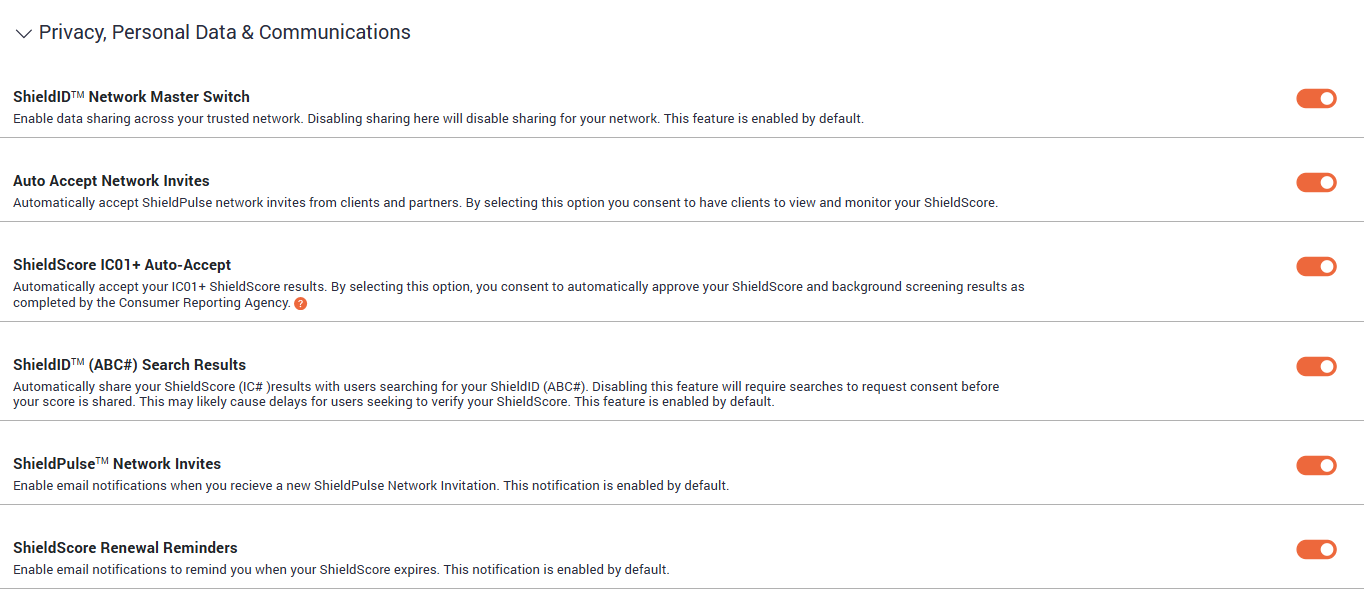
| ShieldID™ Network Master Switch | Enable data sharing across your trusted network. Disabling sharing here will disable sharing for your network. This feature is enabled by default. |
| Auto Accept Network Invites | Automatically accept network invites. Please be aware that automatically enabling this feature may allow you to share scores with unintended users. |
| ShieldScore IC01/IC01+ Auto-Accept | Automatically accept your IC01+/IC01 ShieldScore results. By selecting this option, you consent to automatically approve your ShieldScore and background screening results as completed by the Consumer Reporting Agency. |
| ShieldID™ (ABC#) Search Results | Automatically share your ShieldScore (IC# )results with users searching for your ShieldID (ABC#). Disabling this feature will require searches to request consent before your score is shared. This may likely cause delays for users seeking to verify your ShieldScore. This feature is enabled by default. |
| ShieldPulse™ Network Invites | Automatically accept ShieldPulse network invites from clients and partners. By selecting this option you consent to have clients to view and monitor your ShieldScore. |
| ShieldScore Renewal Reminders | Enable email notifications to remind you when your ShieldScore expires. This notification is enabled by default. |
Was this article helpful?
That’s Great!
Thank you for your feedback
Sorry! We couldn't be helpful
Thank you for your feedback
Feedback sent
We appreciate your effort and will try to fix the article