Welcome to ShieldHub
ShieldHub has helped independent contractors for nearly a decade manage the background screening process.
Registration is free and easy for everyone – whether you're an independent contractor, client, or consumer.
What You Can Do After Registration
Once registered, you can:
- Purchase a background screening package from a certified Consumer Reporting Agency (CRA) provider.
- Receive a ShieldScore™ to represent your composite criminal background risk.
- Share your score using a ShieldID™
- Verify ShieldScores using a provided ShieldID™
- Access ShieldPulse™ for continuous network monitoring (for business clients)
How To Register
Getting Started
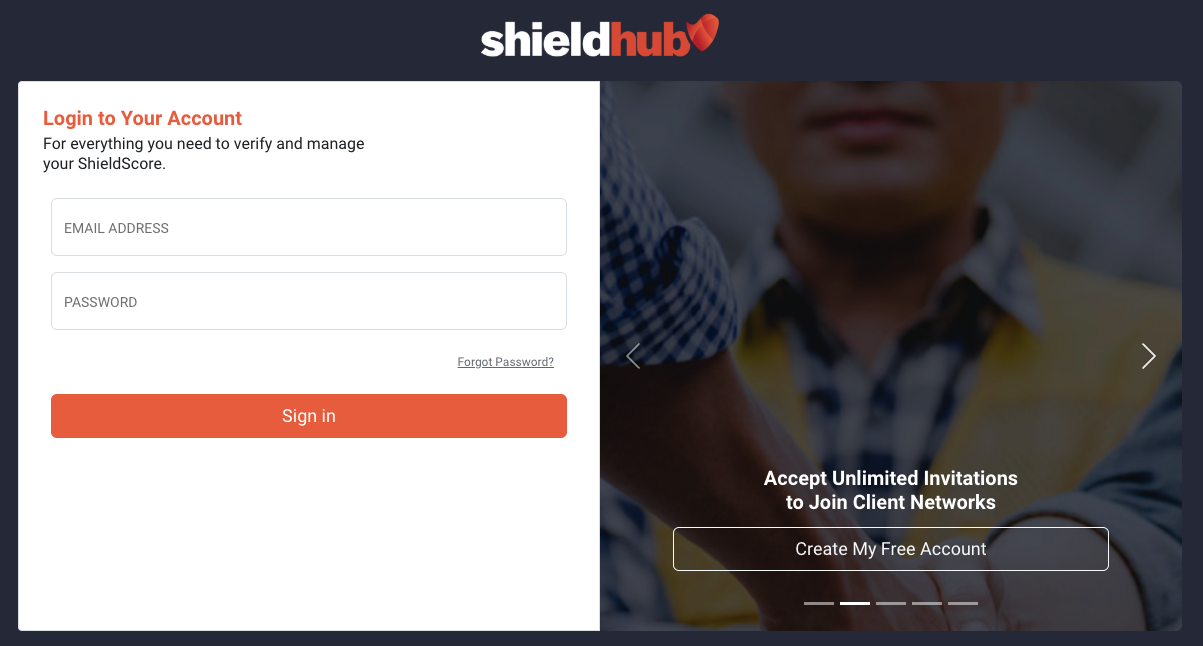
- Navigate to the ShieldHub Login page
- On the right side of the page, click the Create My Free Account button
- You'll be taken to the registration form
Step 1: Account Information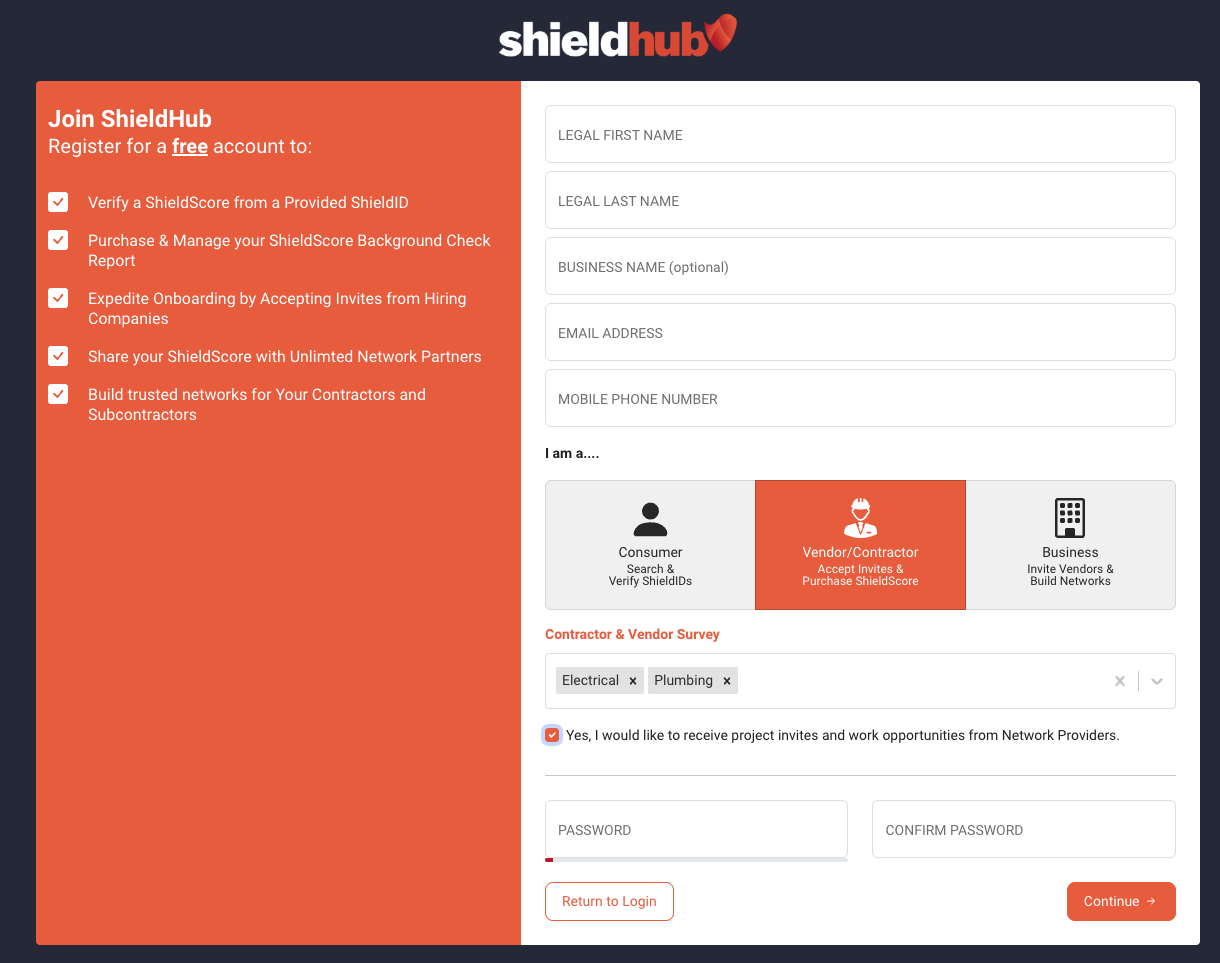
On the registration page, you'll need to provide:
- Legal First Name Last Name (required)
- Business Name (optional)
- Email Address (required) - This must be an accessible email that you'll need to verify
- Mobile Phone Number (required) - Format: XXX-XXX-XXXX
Troubleshooting
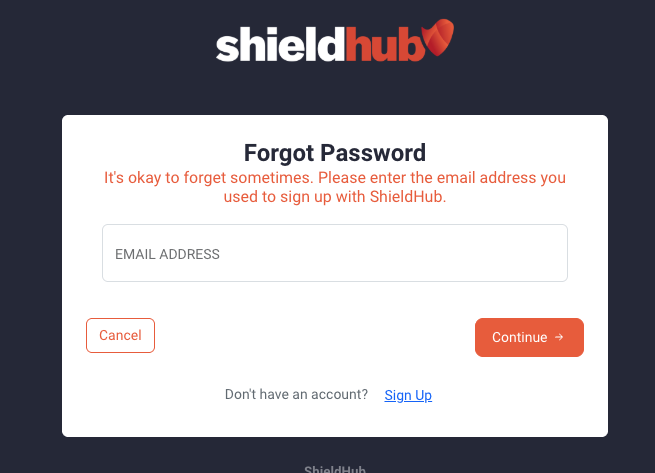
"Email address already registered" error: If you see this error during registration, you may already have an account. Use the Forgot Password feature on the login page to reset your password.
Step 2: Select Your Account Type
Choose the account type that best describes you: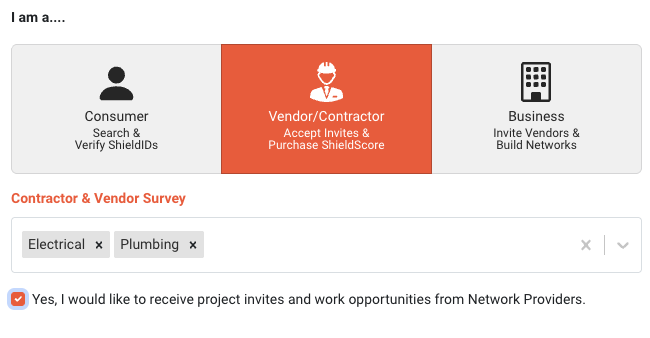
- Consumer - Search & Verify ShieldIDs
- Vendor/Contractor - Accept Invites & Purchase ShieldScore
- Business - Invite Vendors & Build Networks
Note: If you select Vendor/Contractor, you'll see additional optional fields to specify your services and opt-in to project invitations.
Step 3: Create Your Password

Create a secure password and confirm it. The system will show you a password strength meter to help ensure your account is secure.
When complete, click the Continue button at the bottom right.
Step 4: Terms & Conditions
Review and accept ShieldHub's terms and conditions before continuing.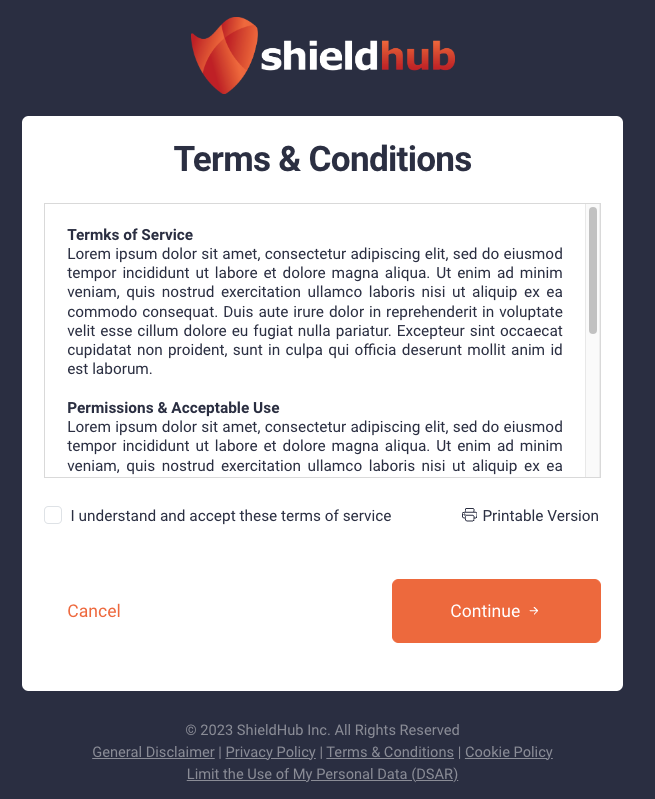
Step 5: Email Verification
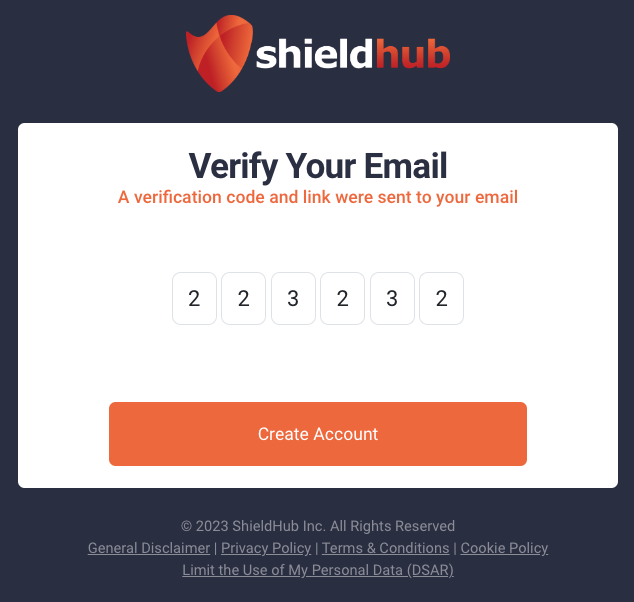
You'll receive a verification email at the address you provided. You can either:
- Enter the verification code from the email, OR
- Click the verification link in the email
Welcome to ShieldHub!
Upon email verification, you'll be automatically logged into your ShieldHub dashboard.
Thank you for registering with ShieldHub! You now have access to all the features of your free account and can begin verifying ShieldIDs, managing background screenings, or building your trusted network depending on your account type.
Logging In to Your Account
To log in to an existing account:
- Navigate to ShieldHub Login
- Enter your Email Address
- Enter your Password
- Click the Sign in button
If you've forgotten your password, click the Forgot Password link below the password field.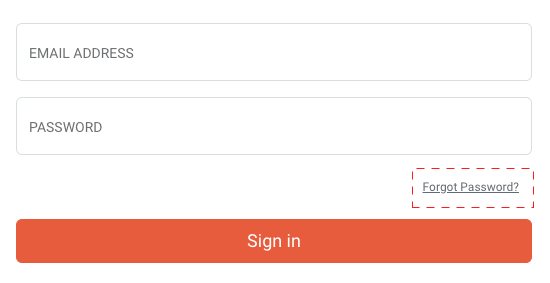
Was this article helpful?
That’s Great!
Thank you for your feedback
Sorry! We couldn't be helpful
Thank you for your feedback
Feedback sent
We appreciate your effort and will try to fix the article