
When you need to manage coupons issued to users in your network, the Coupon Details and Management feature makes it easy to create coupons, manage expirations, and track redemptions.
Contractor Payment Coupons are a premium feature available to Enterprise Customers. Contact our Support Team at support@shieldhub.com if wish to add coupons to your ShieldHub portal.
Introduction to Coupon Details
Coupon details can be accessed from the network vendor’s Actions dropdown from your ShieldHub Network table. 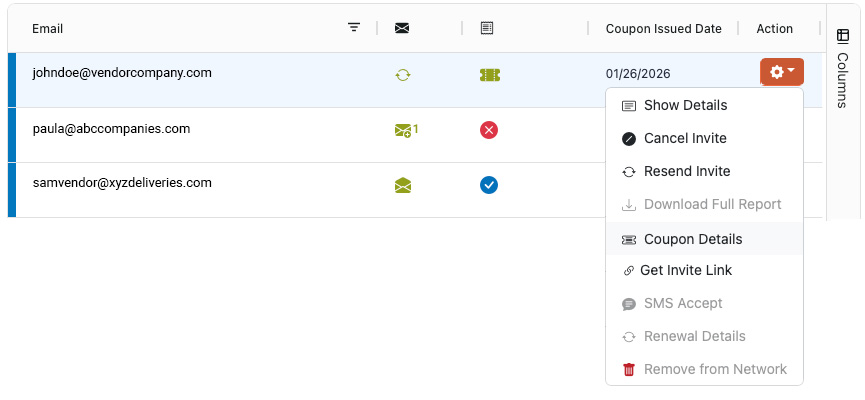
Once Selected, you will be selectee with the Coupon Details modals. You will be presented with options based on the status of you're most recent coupon.
Network Management Table
ShieldHub allows you to customize your network management expierience by adding coupon related data to your network table including.
- Coupon Status
- Coupon Issue Date
- Coupon Redemption Date
- Coupon Expiration Date
- Coupon Issuer Name
- Coupon Issuer Email
Columns can be configured by using networks column feature on the left side of the table.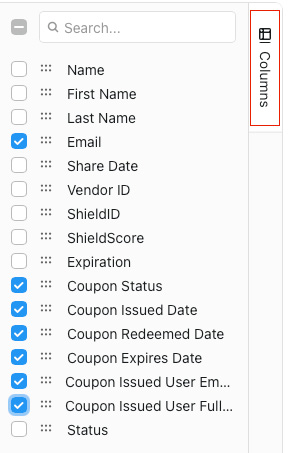
Coupon Statuses Icons
The Coupon Status Field can contain three options depending on the current status of the coupon.
Active Coupon |  |
Expired Coupon |  |
Redeemed Coupon |  |
Creating a New Purchase Coupon
If you've never sent a coupon to this vendor, you will be presented with the option to Create & Send a new purchase coupon. Simply select the coupon type and click send coupon. 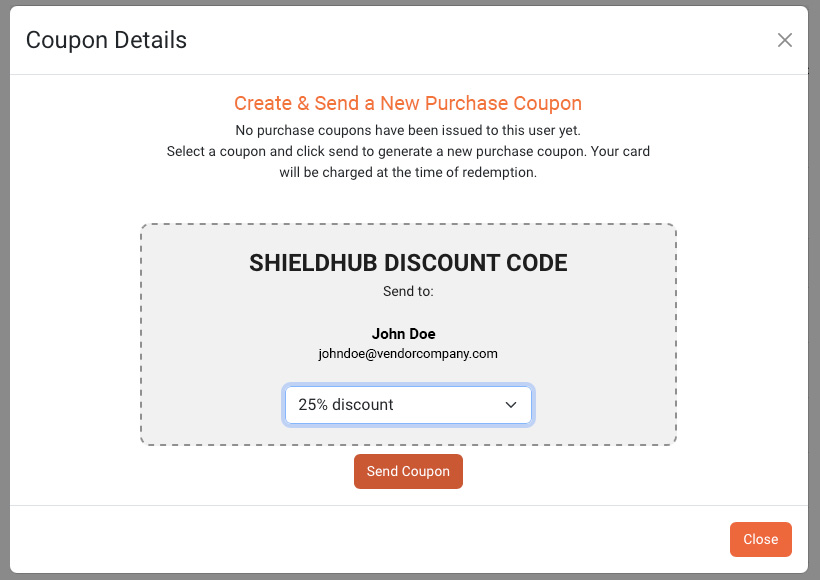
Managing an Active Coupon
Active Coupons are still available to the vendor to redeem.
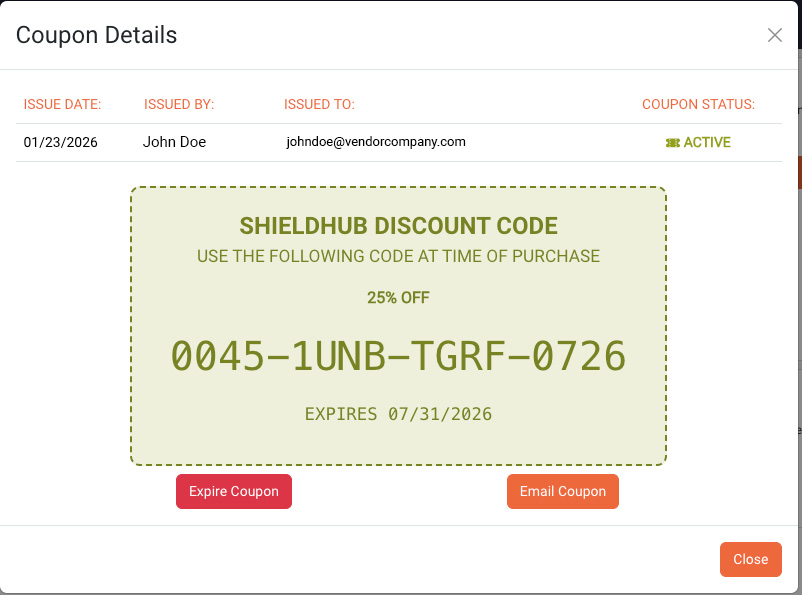
- Click Coupon Code to copy the code to your clipboard, making it available to paste into other applications.
- Click Email Coupon to automatically email the coupon code to the user.
- Click Expire Coupon to immediately expire the coupon and invalidate the code.
Managing an Expired Coupon
Coupons may expire if the vendor does not redeem them before the expiration date or if they are canceled by an administrator. Expired coupons can no longer be redeemed.
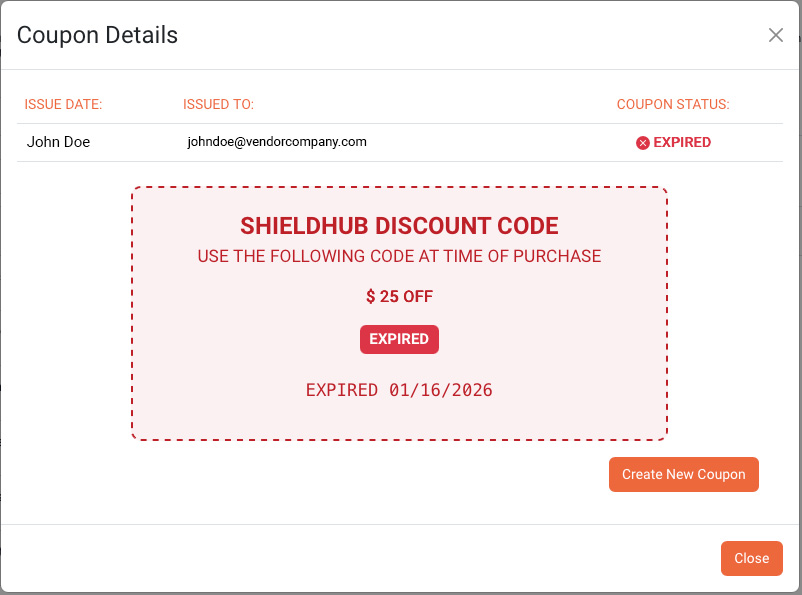
- Click Create New Coupon to delete the coupon and issue a new one.
Tracking a Redeemed Coupon
The Coupon Details section displays information about the most recently redeemed coupon, including the coupon value and the date it was redeemed.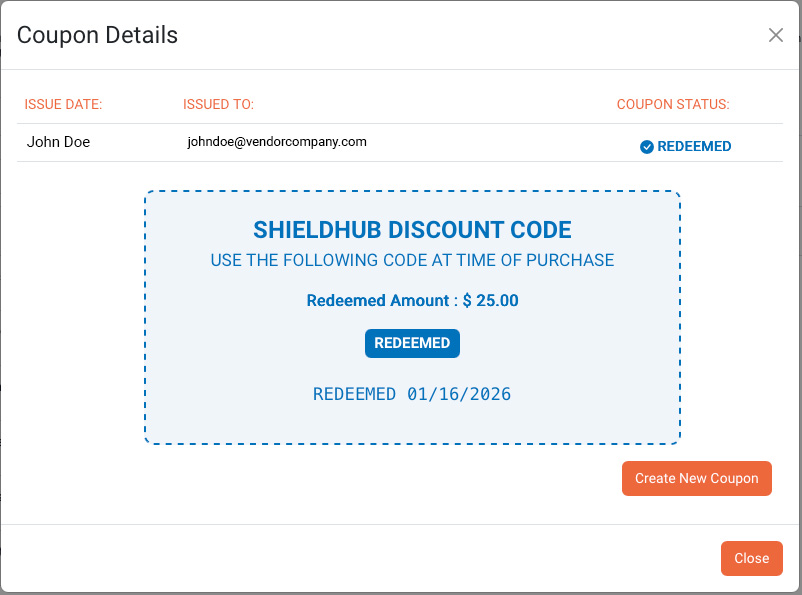
- Click Create New Coupon to issue a new coupon.
Was this article helpful?
That’s Great!
Thank you for your feedback
Sorry! We couldn't be helpful
Thank you for your feedback
Feedback sent
We appreciate your effort and will try to fix the article